Do you know the best app for writing?

Whether you are a planner or pantser, all writers need good tools of the trade.

Sometimes I get bogged down in trying new apps. I waste too much time learning the ins and outs of an app I hope will help, but often I’m disappointed. Not because the app doesn’t work, but because it doesn’t work for me.

So, instead of spinning your wheels, like a car stuck in a ditch, read reviews before you try a new writing app.

What writing apps do I use?

  • Scrivener
    • I love this program now, but there was a big learning curve for me. And although I’ve gotten the gist of it now, I still learn something new almost every day.
  • Grammarly Premium
    • This app is one of my favorites. The free app is good too, but I upgraded to premium because I love the extras. The app is easy, and the learning curve short. Oh, one other thing about this app. It automatically checks my posts and emails.
  • Ginger
    • A free app, Ginger is easy to load and easy to use. You can listen to your story, the app also suggests rephrasing of sentences (you can accept or reject suggestions.)
  • Canva
    • This is a terrific app to design covers, promo material, and illustrations for blog posts. Easy and quick to use.
  • Sumo Paint
    • This cool app works similar to Adobe Photoshop. Not as complicated as Adobe, and for a simple layered design it’s perfect. There are a lot of Youtube videos to help on the learning curve. It can be used straight off the website, not requiring a download.
  • Paint.net
    • I use this app for simple sizing and cropping of images/photos. Super easy, quick and free.

As with all writing apps, none are perfect. And at times they contradict each other. So always double-check any suggestions before you take them as gospel.

Now I’ve discovered a few more that sound interesting. Kathy Edens has some interesting apps that may help planners and pantsers alike.

Which apps do I plan on checking out next?

  • One Stop for Writers, by Writers Helping Writers
    • This isn’t exactly new to me as I follow WHWs and love their Thesaurus books, but I haven’t used One Stop yet. Don’t know why but I’m checking it out now.
  • Pro Writing Aid
    • I used this program a few years ago. The new and improved (since I used it) looks interesting, and a lot of writers seem to love it. So gotta go and see what all the hoopla is about.

To read more reviews about these apps, click and read Kathy Edens recommendations. She lists 9 apps for you to look at.

Writing App Reviews: A Comparison of the Best by Kathy Edens

Do you have a favorite app/programs?

Which ones do you use?

Have you tried any of these? Like or dislike which ones?

Inquiring minds want to know. Share your experiences in the comments. I can’t wait to read them.

And take a minute to follow me on social media, just click on the buttons below. I’ll leave a light on.


How to pick the right editor

Last year, as part of the A-Z challenge,  I wrote a post about editors.

Picking the right editor is terribly important.

A friend had a few questions on the subject, so I decided to share a little bit about what to look for in an editor.

When I wrote a Children’s Picture book, A Most Reluctant Princess, I discovered the necessity of choosing the correct editor.

Not just any editor but the right editor.

I needed an editor that worked with Children’s Picture books. Not general fiction or thrillers.

How do you know who is right for you?

Part of it is intuition, make sure you click with the person you pick.  But do your research. In some situations, you may need more than one editor.

Not all editors are created equal.

  • A Content Editor, also known as a Structural, Developmental, or Substantive editor looks at the big picture. Often rewriting segments of text to improve readability and flow and identifies problems with clarity.
  • Line/Copy/Stylistic Editor goes line by line to spot grammar, paragraph and sentence structure issues.
  • Proofreader goes over the manuscript after the editor looking for glaring mistakes.

Some editors offer more than one service. They may combine their skills as Content and Line editor.

Don’t be afraid to ask questions. Here are a few… 

  • Will they provide a sample?
  • Do they have references?
  • What format will they accept? Electronic or paper?
  • What exactly is the service they offer?
  • How much do they charge? By page, word or…?
  • How many rewrites will they edit?

Most important pick an editor that works with your genre.

Tell me, have you used an editor yet?

Are you planning on hiring an editor?

What type of editor?

Where did you find your editors?

Below are a few links to read more about the types of editors and what they do.

Share your experiences in the comments. I can’t wait to read them.

And take a minute to follow me on social media, just click on the buttons below. I’ll leave a light on.


Editorial Confusion: Kinds of Editors and What Editors Do 

4 Levels of Editing Explained: Which Service Does Your Book Need? BY 

Four Types of Book Editing by  

Know Your Stuff: Different Types of Editing  By Catherine Dunn

Want a great product? Get a good editor by Jean M. Cogdell

Where can you submit your writing for free?

How about 30 plus places to submit your writing?

And they pay you!

Some of my scariest and most rewarding experiences as a writer happened when I stepped out of the shadows and submitted a story. Nothing beats reading, “We would like to feature your submission.”

Scary, yes, because I felt as though I were sending a piece of my soul out into the big bad world to be judged. Rewarding because acceptance is what I dream of as a writer.

Thanks to Erica Verrillo for providing us with this great list of publications looking for good writers. This month you can submit your favorite piece and get paid.

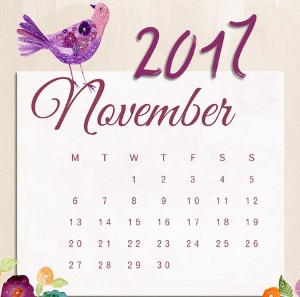
November is just getting started, so pull out that story from your slush pile, polish it till it gleams like a newly minted penny and hit send.

There is still time!

34 Calls for Submissions in November 2017 — Paying markets

I recognize a few on her list but many are new to me. There’s poetry, fiction, speculative fiction, essays and more. 

Another great list is provided by Rachel Poli. Unfortunately, not all are free to submit but there are payment and prizes. So check out her post…

November/December 2017 Writing Contests

Do you find submitting scary and rewarding as I do?

What do you think?

Any of these publications look good to you?

Have you had any success with either of these organizations?

Do share your thoughts and experience in the comments.

And take a minute to follow me on social media, just click on the buttons below. I’ll leave a light on.

How to speed up your word count

Are you participating in  NaNoWriMo this month?

Well, congrats! You’re a week in now. 

Not doing NaNoWriMo but still, need to write a lot more words every day?

Although I’m not participating this year, I’m here to cheer you on! And to help you up that word count, check out this post by Louise Foerster.

Ways to Thrive During NaNoWriMo: Bolstering Word Count 

When the clock is ticking, and your muse isn’t talking, this article may help move your story along.

What I gleaned from this article?

  1. All you need is words, so type some.
  2. Remember a good editor can fix a lot of mistakes.
  3. Use techniques and tools other writers have provided.
    • What tools or techniques?
    • Quotes from other publications. Prose, comments, verses or documents.
    • Send your characters into the world and show what they see and hear. Don’t forget to add their reactions.
    • Let your characters talk. You never know what they might say or where it will lead.
    • Use cringeworthy tricks.
      • You have to read her article for these.
And keep typing!

Like I said, I’m not doing NaNoWriMo but, I plan on using some of her ideas for my writing.

What do you think? Are these tips helpful?

Do you need to write faster?

I really want to know so leave me a comment.

Also, if you can please stop by my other locations and say “hey!” I’ll leave a light on. 

facebook jeans page   twitter-jeans page icon  pinterest-jeans page  stumble-upon-jeans page   amazon jeans page

 OR CLICK THE “WRITE ME” TAB AND SEND ME AN EMAIL.