Don’t you just love free stuff?

Thanks to the many bloggers I follow, and who follow me, the links keep coming.

This is a terrific free-bee should you need a beautiful photo for your blog, book cover, poster or whatever.

sign-up and receive notifications each time new pics are uploaded or just search for what you need. You’ll find beautiful, professional, high quality photos all free to use.

Check out UnSplash.com

Or some of the different things made with UnSplash

computer


I love comments, tell me what’s happening with you and if you’re not already, please follow @jeancogdell on Twitter or jean.cogdell on Facebook!

A 4.5 Star Review for the weekend

No middle ground with this book.

Determining how many stars to rate The Contradiction of Solitude was difficult.

YA is my favorite genre. My grandchildren keep me abreast of what’s trending. It’s great to share their enthusiasm for good reading.

This is one of my granddaughter raved and raved about until I downloaded it. She and I will have to agree to disagree. The Contradiction of Solitude is one of her favorites but not mine.

After finishing the book several days ago I’m still haunted by the words.

I predict you’ll either love it or hate it but you will feel something. The writing is very good and very disturbing. The author gives a peek into the disturbed mind of a young person and her serial killer parent. This book left me shell-shocked.

As I mentioned above, YA is my favorite genre, however I didn’t care much for this story. Ms. Walters writes a dark and twisted tale. It’s been days since I finished and I’m still thinking about the characters.

And isn’t that the definition of good writing?

Words that haunt the reader days after reading “the end.”

The Contradiction of Solitude does just that, love or hate it, I’m bet you won’t forget it. This one gets 4.5 stars from me.

The Contradiction of Solitude [Kindle Edition] by A. Meredith Walters

Print List Price: $14.48
Kindle Price: $2.99
You Save: $11.49 (79%)
I love comments, tell me what’s happening with you and if you’re not already, please follow @jeancogdell on Twitter or jean.cogdell on Facebook!

More Websites and Links for Book worms, Bloggers and Writers

Thanks to Chris The Story Reading Ape’s Blog for connecting me to a new Blogger-

I love all the Links for readers and writers alike.

Lots to dig into tonight.

Marje @ Kyrosmagica's avatarM J Mallon YA Author and Poet

thA8J808YB writing

Soon, on Tuesday 5th of May, there is to be a Writers’ resources evening at Cambridge Writers,  the group that I am a member of, so with this in mind, I thought I would do a little warm up, and type up some helpful website links for Writers, Bloggers and Book Worms.

http://www.cambridgewriters.net/

I have been gathering the details of this list for some time so hope that it will be a useful resource.

So to kick it off my first discovery was Wasafari, who are they you might ask?
“Wasafiri is Britain’s premier magazine for international contemporary writing. Published quarterly, it has established a distinctive reputation for promoting work by new and established voices across the globe.”

Book review/Bookish sites:

book-man-umair-badar-saleem

Netgalley https://www.netgalley.com/

Bookbridgr http://www.bookbridgr.com/

and Lovereading.co.uk http://www.lovereading.co.uk/

Read books for free: https://storycartel.com/search

Author’s resources:

creative-writing-388067__180

Tips for authors on how to make book trailers: https://effrosinimoss.wordpress.com/2013/12/02/tips-for-authors-book-trailer-made-easy/

Tips on writing…

View original post 700 more words

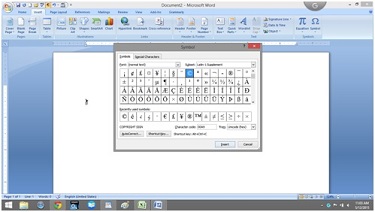
Hunting for symbols?

I use Scrivener and MS Word for my writing.

Don’t ask why, I’m just weird that way. However, Sometimes my writing flow is interrupted when I can’t remember the shortcut key for a specific symbol.

Searching through the Insert Symbol tab is like coming to a stop sign.msword

To ease my irritation a little, I made a cheat sheet and thought I’d share.

So if you are tired of searching for just the right symbol as if you’re looking for a matching pair of socks in a drawer that won’t close. Hope this helps.

Shortcut keys for symbols

Ctrl+Alt em dash
Ctrl+W Close the active window / document.
Ctrl+Z Undo an action.
Ctrl+Y Redo the last action or repeat an action.
Ctrl+S Save a document.
Ctrl+P Print a document.
Ctrl+K Insert a hyperlink.
Alt+Left Arrow Go back one page.
Alt+Right Arrow Go forward one page.
Ctrl+C Copy selected text or graphics to the Office Clipboard.
Ctrl+V Paste the most recent addition to the Office Clipboard.
Ctrl+Shift+A Format all letters as capitals.
Ctrl+B Applies or removes bold formatting.
Ctrl+I Applies or removes italic formatting.
Ctrl+= Apply subscript formatting (automatic spacing).
Alt, F, A Save As.
Alt, S, T, I Insert Table of Contents.
Alt, S, T, R Remove Table of Contents.
Alt, W, F Full Screen Reading – View > Document Views > Full Screen Reading.
Alt, W, R Ruler. View > Show/Hide > Ruler.
Alt, F, X  Exit Word.

For less commonly used keyboard combinations check out this website:

http://www.internet4classrooms.com/msword_keyboard_ibm.htm

For more Alt symbol codes go to:

http://www.alt-codes.net/

I love comments, tell me what’s happening with you and if you’re not already, please follow @jeancogdell on Twitter!