Do you want to Tweet like a Pro?

Me too!

Sadly, I remain a novice.

I’ve written about using Twitter effectively before but I’m still not on top of this social network. Not sure I’ll ever be anything other than a Newbie, however, I keep trying.

Here are some Facts I just recently learned:

The First thing I learned is that Twitter has limits.

I knew that Twitter limited the number of people you could follow but seems they have lots of other limits too. 

  • Direct messages (daily): The limit is 1,000 messages sent per day.

(Avoid DM’s unless you know the person or have developed a trusted relationship with the person. Unfortunately, DM’s have been used by trolls so be careful.)

  • Tweets: 2,400 per day.

The daily update limit is further broken down into smaller limits for semi-hourly intervals. Retweets are counted as Tweets.

  • Changes to account email: Four per hour.
  • Following (daily): The technical follow limit is 1,000 per day.

Please note that this is a technical account limit only, and there are additional rules prohibiting aggressive following behavior. Details about following limits and prohibited behavior are on the Follow Limits and Best Practices page.

  • Following (account-based):

Once an account is following 5,000 other users, additional follow attempts are limited by account-specific ratios.

Link to Current Twitter limits 

So how can we best use these limited resources?

I don’t know about you but watching those Twitter ads fly across my screen is mind-boggling. Buy this, read that, retweet, send, click here,  it’s almost like watching Home Shopping Network on steroids. Yet people swear by Twitter!

What is it about Twitter that they love so much?

When I sit and read all the cute tweets and Memes time drifts away and before I know it hours have passed. Is that it? Is that why people like it because they can zone out and forget the rest of the world? Somehow I don’t think so.

Using Twitter is like learning a new language or joining a secret clubhouse when you were a kid. Once in, it all makes sense. Or at least, I’m hoping that’s how it works.

The second thing I learned is the secret handshake.

Drum roll, please.

Lists.

But what to do now that I have this magical organizing tool?

  • A list is a curated group of Twitter accounts.
  • You can create your own lists or subscribe to lists created by others. Click on your picture and then you can click on lists. There you can see “Subscribed to (ones you’ve made) and Member of (one other people have added you to). 
  • You can search for a list that applies to your subject or need and start up a conversation with other like-minded people on that list. Engage and don’t annoy.

Now, that sounds like something I can do. The conversation part anyway. The annoying part, I’m a bit iffy on because I’ve been known to annoy some friends during conversations. Anyway, where was I? Oh yeah.

minions-363019_640

What else I learned about lists?

todo-list-297195_640

  • There are public and private lists.
  • Make a public list and you have to tend to it.

What? That means readers expect the list to stay active and not get stale. This is something I didn’t understand when I first started using lists. This is more work than I want or need.

So I deleted all of the lists I’d made, thinking I was organizing. I do love to organize stuff. Boxes and cubbies for stuff. However, not if I’m expected to buy more knickknacks every day. Whew!

  • It’s better to read, ask questions and comment on other people’s lists than make my own.

I discovered that I enjoyed checking into other people’s lists, peeking into their conversations, asking for advice or just chiming in with a comment or two. 

Interested in Flash fiction, baseball, cooking or need to find a specific poison or plant reach out on Twitter through Lists. Add a # in front of the word and voila you can find all sorts of information. 

What do you think?

Have you tried using Twitter lists yet?

Want more on how to use Twitter like a pro?

Then I recommend you read Twitter is for Writers by Rayne Hall

raynehall

Thanks for stopping by my blog. Let me know what you think about using lists in the comments and reach out on You can find me on Twitter @jeancogdell, Facebook at jean.cogdell and Amazon.com, stop by and say hey! Please remember to click and share this post with your Twitter peeps and Facebook fans.

How to avoid the Vanishing Act and Dreaded 404 Error

I wish there was a fool-proof way!

But I doubt there is. Not totally. 

Here’s what happens.

A blogger gives a little bit of information. “Hey guys, look what I found. Go to this other website link and read all about it.”

But, what I didn’t understand was that weeks could pass before you read my blog and that “other website” might have moved or gone kaput. Which happens more and more as people tire of blogging or switch blogging platforms. 

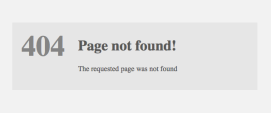
Depending on the server, you’ll get something like this but the message will be the same. Nobody is home. 

404 page

Readers got the Vanishing Act and Dreaded 404 Error which made me look bad.

Not wanting to bill myself as some writing guru I was doing this more and more on my blog. However, recently I found myself irritated with another website when every link gave me the 404 finger. I clicked away and unfollowed

Which got me to thinking. I know dangerous ground, me thinking. But, if I felt that way maybe my readers felt that way too. I don’t want unhappy readers.

Now don’t get me wrong!

I love linkbacks and reblogs! 

Linkbacks and reblogs are the strongest forms of flattery for a blogger.

There had to be a solution.

So what to do?

I’ve decided that I’ll do my best to…

  • Share here on my website what I learn.
  • Share why I think my readers might find it important too.
  • Share the source link at the end of the post. After all, I’m not an expert but I firmly believe credit should be given where credit is due. 
  • And last but not least I’m going to try to make my posts shorter. 🙂

Do broken links bother you?

Do they discourage you from visiting websites again?

Talk to me  and thanks for stopping by my blog.
You can find me on Twitter @jeancogdellhttps://twitter.com/jeancogdell, Facebook at jean.cogdell and Amazon.com, stop by and say hey! Please remember to click and share this post with your Twitter peeps and Facebook fans.

Do you think your novel could be a novella?

This is something I’ve considered before.

Novel or Short Story, Part 2

Maybe I just need to wrap things up and call it a day.

Writing a novel is a daunting task. A finished novel, after editing and cutting, will be about 60,000 words. Which means I need to write about 80,000 or more. Gotta give the editor plenty to slash out of the manuscript. Sigh…

So maybe I should consider changing my goal.

Have you ever considered the novella?

There is a lot more wiggle room regarding word count, with a novella. Usually between 30 to 60,000. With fewer words, comes fewer characters, fewer scenes, and fewer conflicts. Story structure is still very important but with the novella, things happen fast. There isn’t time to drag out the tension nor room to waste words. 

No, we must get to the point quickly, leading the reader to the climax with little detours. 

How would you go about taking your current WIP and turning it into a novella?

  • Make an outline using 3 acts
  • Limit the characters to those necessary to the purpose of the story
  • Edit out unnecessary characters and subplots (this is hard)
  • Limit to one single but satisfying conflict, question or goal
  • Increase and build the pace toward the final conflict during the 3rd act.

Want to read more about writing a novella read the following article from Bridget over at Now Novel

How to write a novella: 6 essential tips

What do you think? Do you see a novella in your future?

Do you think it would be harder or easier to write a novella?

Still want more? Click and read Part 1:

Why Not Turn Novel into a Short Story?


YOU CAN FIND ME ON SOCIAL MEDIA BY CLICKING ON THE LINKS BELOW.
AND DO STOP BY JEAN’S WRITING ANYTIME, I’LL LEAVE A LIGHT ON. 

FacebookTwitterAmazonPinterestStumbleupon

Do you know how to avoid a stale bio?

Not smothering your screen with Febreze, nope that’s not going to help at all.

I’ve been doing some housekeeping on my website lately and realized my bio needed a bit of updating too. So I wondered if maybe I might not be alone.

Do you need to update yours?

Like most things about writing, a bio needs editing and tweaking to keep it fresh. If you’re like me you spent hours writing a good description, posted and then forgot about it.

I mean writing about myself in the third person was embarrassing enough the first time much less revisiting it again and again.

However, as a writer, we are always evolving and changing and our bio should say that to a degree. And you need to have more than one bio.

Why? Because what works for your website may be too long for a contest but may not be long enough for an in-depth interview. And won’t work at all for a byline.

So what to do?

Write several now.

That way when the time comes you aren’t struggling to write one that meets the requirements of the publisher. You will only need to tweak it a bit.

Most ask for a third person bio, however on occasion, a first person is requested. As with all publishers, the rules are important. Read them carefully.

The things that should be included in a bio are pretty basic. Name, rank, etc.

However, don’t include:

  • I’ve been writing only 6 months and look how great I am. It’s taken 5 years to write this amazing novel. (really?)
  • I love writing! I love writing more than ice cream. (if you didn’t love to write you wouldn’t write.)
  • My husband thinks this will be a best selling novel! All of my friends love my book. (they don’t care.)
  • Copyrighted with the US Copyright Office, so don’t try and steal my story. (Geez.)
  • I have 5 kids, 3 cats and love to knit. (not important unless the book is a how to knit matching sweaters for kids and cats.)

So what type of bios do you need?

  • A short one sentence byline that can be tagged before an article:

Jean M. Cogdell, Author and blogger currently living in Texas.

  • A short paragraph bio, (usually 50 words or less) for contests and magazines.

Jean M. Cogdell, grew up in a small SC town, but now lives in Texas. Her first book, Tryout’s for Ben, available at Amazon.com. Published stories and essays in magazines, anthologies, and journals, online and at Amazon.com. Read about her writing and life on her website, at Jean’s Writing.

  • A longer paragraph for where requested.

Jean M. Cogdell, Author and founder of Jean’s Writing a blog dedicated to learning and sharing more about the art of writing. Her first book, Tryouts for Ben received a Five Star Review from Reader’s Favorite. The book is available at Amazon.com. She has published short stories and essays in various anthologies and journals, for more information, visit her website. Ms. Cogdell grew up in a small SC town near the Great Smoky Mountains but now resides in North Texas with her husband where she is currently working on a new book due out this Spring.

A website bio – Go crazy – Go wild – this is your page to shine!

Personal info about yourself, your blog, family and interests. This is where you can share whatever you think inquiring minds might want to read.

Tell me, when was the last time you updated your bio?

Do you have any special tips or tricks for a good bio?

Do share in the comments and reach out on Twitter @jeancogdell, Facebook at jean.cogdell and Amazon.com, stop by and say hey! Please remember to click and share this post with your Twitter peeps and Facebook fans.


To read more tips on writing a good bio click below:

5 Tips for Your Bio by 

How to Write Your Bio for a Byline or Query by