
You’ve seen this type of click prompt, I know you have.
But do you know how to add one to your blog?
A “Tweet Here” or “Tweet This” in the middle of your post.
It’s easy!
- Go to the website Click to Tweet, log in using Twitter. This provides a direct link to Twitter.

- After you’ve logged in, a dashboard screen pops up. Copy and paste the line or paragraph you want to be tweeted.
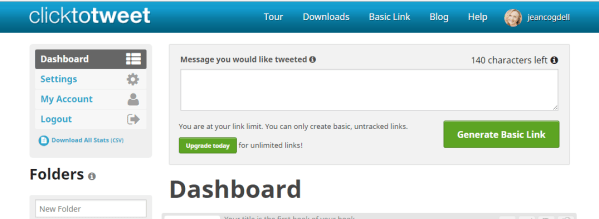
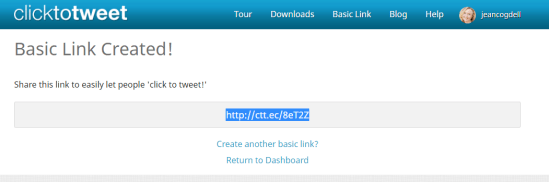
- Generate a shortened URL link.
- Use this super easy website called Click here and Tweet.
- Just connect the link to the phrase, word or picture you want to be tweeted.
Find out how to add a Tweet button in the middle of your blog post. 
Learning to tweet is easy. 
Is this clearer than mud?
Have you added Tweet This links to your blog before?
Will you try now?
Talk to me – I love reading your comments.
Please head over and “like” my Facebook page at Facebook at jeanswriting . Or to connect with me, click the “write me” tab. Don’t forget you can follow me on StumbleUpon, on Twitter @jeancogdell , and Amazon.com.
Please stop by and say “hey!” I’ll leave a light on.






















 Jean's Writing