Which is the best social media for a blogger?

Which social media do you use to promote your blog?

There are so many personalized reader/news websites, how do we choose? I can’t keep up with all of them. New ones, old ones, coming and going every day. It’s exhausting.

Flipboard, StumbleUpon/Mix, Medium, Feedly, Facebook, Twitter, Google Plus,  Linkedin, Reddit, Tumbler, Pocket, Pinterest or…

  • StumbleUpon. I loved this one until they changed. Every time I added my blog post to their website, I found other great writers.  Now that they’ve migrated over to Mix, I’m not so sure. Changes aren’t always for the better. At 40 million users, I can’t help but wonder how many will make the transition.
  • Flipboard.  Another one I like. But, I don’t use it as often as I probably should. I find the format a bit intimidating and that easy to use. With over 100 million users, maybe I need to stick with it.
  • Medium, ditto to Flipboard. Unless you have a paid subscription, reading the articles is limited.
  • Google Plus, I’m not sure how much traffic it generates. But with over 2.2 billion users, I hope to get a few.
  • Pinterest. I’ve just recently started linking more often and I’m pleased with the traffic. So, I’m going to try to continue with this one, after all, they boast over 2oo million users. I’ll see how it goes.
  • Facebook, meh. Lots of controversies, but lots of traffic go through this site. My results have been mixed with it. However, with over  2.2 billion users I’m not quitting.
  • Twitter. Now I’ve had good success with Twitter. Plus I enjoy reading and discovering new bloggers/writers.
  • Linkedin, I am signed up for this site, but not real active with it.
  • Tumbler It’s been so long since I looked at this one. I’m not sure how active this site is. With over 400 million users, maybe I need to look again.
  • Feedly, I’ve never used it. Looks good, but to share your blog through IFTTT requires the paid service. Still with over 14 million users, might be worth it.
  • Reddit, confusing. I’ve tried to use Reddit in the past but had little success. And of course, as with so many websites, they’ve changed theirs too. But with over 1.5 billion users…

This is just a drop in the bucket. There are even more feeds to connect our blogs. However, there are only so many hours in a day. I do want to grow my blog but can’t be everywhere all the time.

Now it’s your turn, help a girl out…

Which website do you link to your blog posts?

Which one gets the most referral from?

Do you have a favorite?

Want to read more about ways to generate traffic to your blog? 

Go to the bottom and keep reading.

PLEASE TAKE ANOTHER MINUTE AND LOOK ME UP ON SOCIAL MEDIA BY CLICKING ON THE LINKS BELOW.
AND STOP BY JEAN’S WRITING ANYTIME, I’LL LEAVE A LIGHT ON. 

FacebookTwitterAmazonPinterestStumbleupon 


What are the best news readers?

Feedly vs Flipboard By ABHISHEK MACWAN

How to Use Flipboard as a Traffic-Generating Machine by 

Goodbye, StumbleUpon, one of the last great ways to find good things online By 

StumbleUpon is closing down and moving to Mix – Here is your Mix getting started guide 


What is the best way to interact with bloggers?

Do you engage with drive-by readers?

If not, maybe you should.

Why?

Because others, like myself, may be drive-by readers. drive 01

That means reading on the run. Waiting in line, waiting for to pick up grandkids, or in the dentist/doctors office. And almost always I read on my phone.

phone

The absence of a comment doesn’t mean I didn’t enjoy the blog post. Simply means I wasn’t in a place to write one. Typing on my cell phone is not easy.


And even though we’re all very busy with the holidays, remember to read and click the “like” button. Means a lot to bloggers everywhere.

A post by OPINIONATED MAN encouraged me to do more.

So I’m going to start with an apology.

sorry badI’m sorry if I’ve disappointed any of my readers. I’ve read many posts but sometimes failed to click the “like” button. Just because I’m on the run doesn’t mean I can’t click “like.”

What tips did I garner from his post?

  • The “like” button is an opportunity to connect.
    • Don’t miss it.
  • Drive by readers are important.
    • We all get too busy to talk sometimes.
  • When a reader clicks the “like” button, they read my post!
    • Let them know I appreciate the effort.
  • A reader is an opportunity to expand my network.
    • Don’t squander it.
  • Comments mean the blogger is an active reader.
    • Answer them.

Check out the post below and let me know what you think.

Have you been guilty of reading and not clicking the like button?

Have you missed an opportunity to connect with new readers?

If you have the time, leave me a comment. But please click on the “like” button. Thanks!!

Reactive networking / Blogging BY OPINIONATED MAN

I HOPE YOU’LL TAKE A MINUTE TO FOLLOW ME ON SOCIAL MEDIA, JUST CLICK ON THE BUTTONS BELOW. I’LL LEAVE A LIGHT ON.


Do you know how to spot Scam Websites?

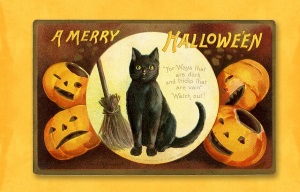
Spooky time of year, Halloween.

So watch out for goblins. Don’t let them latch on to your computer.

That’s right, Scammers want to trick you into opening the door. Don’t! Be careful and be aware. Keep those buggers out.

If you are unsure what to look for click and read this post by Daniel Nations.

How to Recognize Scam Websites Learn how to protect your identity anywhere online by Daniel Nations

Here is what I learned about how to avoid a Scammers trick. 

  1. Google is my friend…
    • Google an email link before clicking.
    • Google and research any link from Facebook, Twitter, Instagram or other social media.
  2. Even if the website seems legit…
    • check for spelling errors.
    • look for contact information
    • Find a privacy statement?
  3. As seen on…
    • Anyone can make this claim
  4. Trust…
    • Again, anyone can copy a seal of approval or trust security seal.
  5. Fake website address...
    • Is there a weird spelling in the address?
    • Lots of dashes and dots?
    • No dot-org or dot-com? Probably not legit.
  6. Http:// vs Https://…
    • One is secure and encrypted and one is not.
  7. Payment process…
    • No wire transfers is a no-brainer.
    • Refunds, Customer service? A must have.
  8. Where to double-check…

What do you think?

Did this arm you with a little more information?

Did you learn anything new? What?

Have you any tips for avoiding scammers?

Share in the comments. And let’s get only treats this Halloween.

Also, if you can please stop by my other locations and say “hey!” I’ll leave a light on. 

facebook jeans page   twitter-jeans page icon  pinterest-jeans page  stumble-upon-jeans page   amazon jeans page

 OR CLICK THE “WRITE ME” TAB AND SEND ME AN EMAIL.


Want to know which platform is best for you?

So you’re ready to create a blog.

Or maybe you’re considering a self-hosted website.

Stop and read the following articles below before you decide which way to go. This is one of the best explanations I’ve read in a long time about the differences between WordPress.com and WordPress.org.

After reading and listening to fellow bloggers, I decided to stick with WordPress.com.

My reasons:

  • Although not perfect, it’s a turnkey process.
  • I found a Theme I liked but can change with ease
  • My blog is updated and backed keeping my blog intact online (even though I may lose content I won’t lose the blog.)
  • I don’t want to pay a third-party to support the platform or the security.
  • I don’t have the time to dedicate to running a self-hosted site.

4 Reasons You Should Never Use WordPress.com (And 4 Reasons You Should) by Sanj Sahayam

WordPress.com vs WordPress.org – Which is Better? (Comparison Chart)   by by wpbeginner.com

Did the articles help you understand a little better how WordPress.com and WordPress.org work and how they are different?
Which do you use?
Have you considered a self-hosted site?
Share in the comments. I love hearing from you!

Also, if you can please stop by my other locations and say “hey!” I’ll leave a light on. 

facebook jeans page   twitter-jeans page icon  pinterest-jeans page  stumble-upon-jeans page   amazon jeans page

 OR CLICK THE “WRITE ME” TAB AND SEND ME AN EMAIL.