Do you want to make a usable video for your blog?

It’s not as hard as you might think.

Have you ever made a video using your computer camera, iPhone, or other programs only to have WordPress reject it?

All you need to do is convert your video using YouTube.

Here is a video I made that I hope helps you understand the process.

What do you think?

Ready to make a few videos?

Have some of your favorites disappeared?

Those blogs you looked forward to reading?

Mine had!

Time for a little blog management.

So, thanks to Sue Vincent, that’s how I’m starting my week. With a fresh slate. Can’t wait to read what I’ve missed all these weeks.

Sue explains that for some mysterious reason, WordPress apparently on occasion turns off the email notifications. frog-wow

I must admit to feeling a little relieved. At least this means I’m not completely crazy and that the gremlin inside my computer hasn’t totally taken control. Whew!

Below you’ll find a little self-help video I made that shows how easy it is to check and see if some of your favorite blogs have been turned off.

Now hop over to Sue’s blog post and read her post.

Here we go again… the wonderful Happiness Engineers have been playing. I thought it had gone very quiet… and while I realise that it is summer in the Northern Hemisphere and the great o… Source: The empty inbox… by Sue Vincent

Okay, clear as mud right?

Did you find any of your favorites turned off? 

Do you check this feature regularly?

I’d love to hear from you! Click the “write me” tab or contact me on Twitter @jeancogdell, Facebook at jean.cogdell and Amazon.com, stop by and say hey! The lights are on and I’m waiting.

Please remember to share this post with your Twitter  peeps and Facebook fans.

Do you think more tools make a better writer?

At some point I think we have to settle on one or two and just write.

What about you?

Each week it seems as if I’m finding more and more apps and programs for writers/bloggers. But downloading and using the latest and greatest can become more confusing than easier. At least for me.

At what point are we just reinventing the wheel?

Here’s my take on the 5 I found this week in a recent article on Business.com,  Posted By . These tools are supposed to help the writer/blogger write better and faster.

You be the judge.

The first one listed is an app called Help Me Write.

This is a web-based app to help you decide what to write next.

  • You write your ideas on a profile page.
  • Next, share via Twitter, Facebook, blog (or wherever) and ask your networks, which or if, they would like to read.
  • Pick the idea with the most interest and write an article, post or story, then send directly to all the voters.

For a regular blogger this is supposed to get readers more engaged with your brand and writing process. For example, you could write a weekly post “ask the audience” post, or get readers to vote on a special project.

Me- I’ll pass. I don’t need another platform to keep up with.

Second on his list was MyBlogU.

This appears to be a brainstorming, community gathering, idea and information generating platform. Whew! That was a mouthful. Here, a writer/blogger can gather information from experts and other writers, enabling you to learn as you go.

MyBLogU concept

Me- I’ll pass on MyBlogU. Once again this crowdsourcing platform seems as if it would take more time than I’ve got to give.

The Hemingway App was #Three.

This is a desktop app I’ve used and like.

Mainly for the readability feature. I can see in a second the readability level of my writing. It will also highlight which sentences are hard to read, complex or simple. Hemingway Editor doesn’t take a lot of time and is super easy to use.

Hemingway

Me- I’ll continue to use Hemingway Editor.

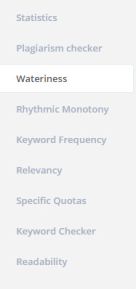
RobotDon is number four.

This web driven app has a lot of useful tools and is simple to use. However, I think the Plagiarism check in Grammarly works better than RobotDon. If you already have a program that helps you with all of these items you might want to pass.
Robotdon

Me- I’ll pass on RobotDon and continue to use Grammarly. In this instance, “you get what you pay for” is true.

Twords was number five and last in the article.

This is an online app that nudges you to write. You list goals and the app community will remind you if you are falling behind. It provides stats, timed writing and prompts should you get stuck.twords
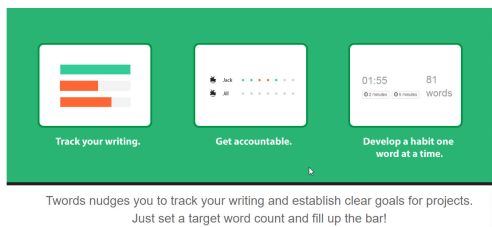
Me- I’ll pass on Twords. This looks fun but distracting. I use Scrivener for stats and my progress details.

If you want to read the entire article By  and his take is on these 5 writing tools click on the link below at the bottom of this post.

Okay, tell me– Do you have enough writing apps?

Do you think they are all becoming redundant?

I’d love to hear from you! Click the “write me” tab or contact me on Twitter @jeancogdell, Facebook at jean.cogdell and Amazon.com, stop by and say hey! The lights are on and I’m waiting.

Please remember to share this post with your Twitter  peeps and Facebook fans.

Creating Killer Content: 5 Easy to Use Tools for Better Writing in Less Time

How to make your pictures clickable

Everyone loves pictures.

Make your pictures more interesting by making them clickable.

Tricia Pimental, Author, blogger and reader sent me a request. She wanted me to explain a little about linking information and documents to a blog post or page.

I promised to try my best and hope this information is what she needs. Maybe one or two of y’all will benefit from the tips as well.

Why would you want to add a link?

  • Definitions
  • Purchases
  • Sharing other blogs

I hope this little video will help.

It’s easy as 1-2-3!

  1. Copy the web address that you want to point your readers to. It could be a 5 Star Review, your Amazon.com page or reference other websites.
  2. Then click on the picture or sentence you want to make clickable.
  3. Next, click on the insert/edit link and paste the web address there.

Your picture, book, icon, or sentence, should now be fully clickable, sending your reader to read more information.

Tricia Pimental, I do hope this is helpful and not too elementary.

Do you think making pictures clickable adds to a website?

Do you use click here links?

I’d love to hear from you! Click the “write me” tab or contact me onTwitter @jeancogdell, Facebook at jean.cogdell and Amazon.com, stop by and say hey! The lights are on and I’m waiting.

Please remember to share this post with your Twitter  peeps andFacebook fans.