Do you know how to publish an ebook with pictures?

Using MS-Word?

Success at last! When I loaded it up to KDP, everything worked!

If you write children’s books or comic books, I’m sure you’ve heard of Kindle Kids’ Book Creator. This program is terrific. However, the program limits which electronic devices that can open and read the book.

I wanted my picture books to be available on e-readers and tablets. I found out after using KKBC for A Most Reluctant Princess; this wasn’t possible. Using KKBC limits which electronic devices available.  Since publishing my first picture book, I’ve read tips, blogs, instructions, and watched videos searching a way to use MS-Word.

No one had the answers I needed. So, I began experimenting until I figured out a process that worked.

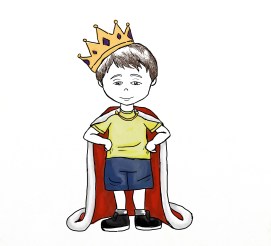
My new book, A Reluctant Little Prince, in e-book form, is written on MS-Word and can be read on a Kindle. Yay!

For the print version, I use a great program called Serif PagePlus and published it with Ingram Sparks. But that’s for another blog post.

Want to know my secret?

Put the picture inside of a text box! So simple!

Did this help?

What do you think? 

Do you have a tip for adding pictures to ebooks?

Watch for my new children’s ebook! Coming Soon!

I’d love to hear from you, let me know how you’re doing! Leave a comment or click the “write me” tab or look for me on Twitter @jeancogdell, Facebook at jean.cogdell and Amazon.com, stop by and say hey! The lights are on, and I’m waiting.

Please remember to share this post with your Twitter  peeps and Facebook fans.


Have you questioned their desire?

A few days ago I talked about finding a misbelief for my protagonist, well seems that’s only part of the picture.

Guess I need to dig deeper. 

dynamite-animal-1298947_640
Image Source

Okay, now that I’ve figured out her misbelief, what other questions do I need to ask?

  • What is her deepest desire?
  • We’ve all heard to ask what does the protagonist want but take it a step further.
  • What does her misbelief have to do with her deepest desire?
  • Is my protagonist loveable?
  • Can the reader relate to her misbelief and her desire?

And before I can go any further, do I know how this story ends?

  • Will her desires be fulfilled or will she fail and plummet into despair?

Now that I’ve answered these questions, I’m ready to write to the middle.

I’m learning so much from Steven James in Story Trumps Structure: How to Write Unforgettable Fiction by Breaking the Rules, which won a won a Storytelling World Award. Unlike some bloggers who write “how to” books, Mr. James is an award-winning novelist of suspense including two Christy Awards for best suspense, The Suspense Zone’s Reviewers Choice award, Suspense Magazine‘s Book of the Year award. Mr. James also crosses genres, which gives me hope.  

Hope you don’t get tired of me sharing on my blog as I learn. But I love, love this book!

What questions do you ask your protagonist?

Anything special that breathes life into your characters?

I’d love to hear from you! Click the “write me” tab or contact me on Twitter @jeancogdell,Facebook at jean.cogdell and Amazon.com, stop by and say hey! The lights are on, and I’m waiting.

Please remember to share this post with your Twitter  peeps and Facebook fans.

Media source Amazon.com

Want to read a little bit of Story Trumps Structure? Then click on the link for a sample.

Story Trumps Structure: How to Write Unforgettable Fiction by Breaking the Rules by [James, Steven]
Image Souce

 PS:

On a personal note, I’m getting closer to finishing my next children’s book. Just received six more images from illustrator. Fingers crossed!

jean_king-and-cape300
A Reluctant Prince

Do you know how to give away your book for FREE?

Well, I didn’t either until today.

Free-download-300px

Kindle Edition : “free kindle books”

But a big thanks goes out to fellow bloggers the big Ape and   for sending out much-needed information. A post – Molly Greene’s Advice on Going Permafree on Amazon.

Most of us have a WIP and one day may want to make it FREE for a day. But if you’re like me the process has baffled me.

A short while back, my friend Charles E. Yallowitz decided to make the first book of his fantasy Legends of Windemere series permafree. This is something I’ve been considering myself, but I&#… Continue reading

Source: Molly Greene’s Advice on Going Permafree on Amazon

Molly discovered the process when she wanted to make Mark of the Loon free.

Here is a breakdown of the steps:

  • Log into Kindle Direct Publishing (KDP).
  • Click the “Help” tab in the upper right-hand corner.
  • On the left menu, scroll to the bottom and click “Contact us.”
  • Again, left menu, click “Getting Started.”
  • Then click “Pricing Your Book.” (One of the “Answers to common questions” options under this category is “what is price matching.” That link will take you to Amazon’s policy page.)
  • Under “ask your question here,” use the subject line: Price Matching. In the body of the message, include the title and ASIN of the book, plus links to retail sites where it is currently free: iTunes, Kobo, Smashwords, whatever. Tell them you’re running a free promo and you need Amazon to price match.

The NEW Easy Way To Go FREE On Amazon  by Molly Greene @mollygreene

Now I don’t know about you but this seems all a bit convoluted. Before long I expect a few more hurdles will be added, such as:

  • Use starter pistol at “Starting Point”
  • Hop on one foot as you log on
  • Scream bloody murder when clicking on “help” key

So what do y’all think?

Have you succeeded in offering a book for FREE?

Will you in the future?

I’d love to hear from you! Click the “write me” tab or contact me on Twitter @jeancogdell, Facebook at jean.cogdell and Amazon.com, stop by and say hey! The lights are on and I’m waiting.

Please remember to share this post with your Twitter peeps and Facebook fans.

Keep the tips coming! You guys are the best!

Being a writer is like working as Ring Master in a circus. Have to know how to juggle, keep the show moving and shovel elephant poo. So many jobs, so much to do and learn.

circus-828680_640

Staying ahead of the new gadgets and media stuff would be overwhelming without this community of writers. I can always count on y’all to step up, share and help with great tips.

Thanks for todays tip goes all the way to balmy Ohio and Jena Henry, a cool author, book reviewer and one of my fav readers who keeps me encouraged.

After reading my post on how to embed “Instant Book Preview” of your book on your website, and other social media sites, Jena stepped forward and clued me in on how to take it a step further.

Now you can click the “Share symbol” on your Kindle and send not only a quote, but an Instant Preview to a friend or the world. This is so cool because my sister and I were discussing a book earlier this week. Instead of trying to remember or explain what I thought was so great, I could’ve just shared a quote and an instant preview with her.

That’s right! Amazon has made sharing books you enjoy easier and faster.

However, I was disappointed to find my old Kindle Paperwhite (very first Paperwhite) doesn’t send an the instant preview, just the quote. Plus, it only sends the quotes to Facebook, Goodreads, and Twitter.frog-sad

Maybe time to buy a newer version of Kindle e-reader. Well-played Amazon, well-played. frog-happy

The good news is that it works on Android apps and on the newer Kindles (I just sent an Instant Preview from the Kindle app on my iPhone, pretty slick.)

Jena was reading on her Kindle Voyager when she discovered the “share” symbol. And when she hit the symbol a preview link shows up with a photo of the book and the reader receives a free preview. And she could continue reading!

What do you think?

Another tool to promote your book as well as other writers?

I’d love to hear from you! Click to write me or contact me on Twitter @jeancogdell, Facebook at  jean.cogdell and Amazon.com, stop by and say hey! The lights are on and I’m waiting.

Go check out Jena’s website The Golden Age of Charli and tell her Jean sent you.

Please remember to share this post with your Twitter peeps and Facebook Facebook fans.

Read more about this new “Share Instant Preview” at the links below.

Great Books, Great Conversation

Amazon upgrades Kindle quote sharing with Instant Previews BY  

AMAZON’S NEW INSTANT PREVIEW FEATURE SHARES THE PERFECT QUOTE AND A PREVIEW OF THE KINDLE EBOOK By