How to RECON Your Novel to the End

Alright, Alright, Alright!

I learned a new writing tip today! Happy dance!
A few days ago I wrote how determined I was to finish my novel this summer. Good, bad or ugly, I’m gonna finish this baby and put it to bed. One way or the other I plan to type those two words of the promised land, “THE END.”

Why has it been so hard to get across that finish line?

Because over the past few months, I’ve felt like a writer lost in a maze. Always backtracking to start over. Now, after reading about RETCON, I’m gonna grab a pair of shears (electric) and cut through those damn hedges. 
Hmm, maybe a chainsaw. Whatever, then I’ll insert a lovely statue later to fix the holes.

Boy oh boy, I can’t wait until I return from holiday to take my work in progress to RETCON depth!
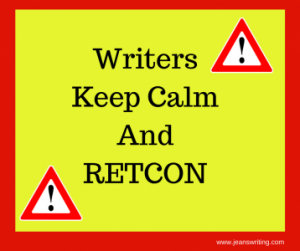
Writers Keep Calm and RETCON Jean's Writing

Let me explain.

Thanks go to Janice Hardy who published an article by Laurence MacNaughton on using a Retcon to power through a story. Now if you’re scratching your head thinking what the hell is a Retcon, you’re not alone. I did the same thing.

Retcon is short for “retroactive continuity.” 

I’ve kept a spreadsheet in excel to track who does what and when. But let’s be honest, that doesn’t always work. Sometimes I get in the zone, writing like a reporter on a deadline and up pops an absolute contradiction to a previous event or timeline.

What to do, what to do? Do I stop, or go read through all of the hundreds-thousands of words until I located the passage in question and then decide which direction I want the story to go? Next thing I know I’m stuck in a quagmire of rewrite-swamp.

Here is what I learned from Mr. MacNaughton. 

  • I can avoid that swamp and keep moving with a plan in mind.
  • I can manipulate things anyway I see fit.
  • If my childless, unmarried, protagonist suddenly appears with two kids in tow, I can type RETCON and go with her. See where she takes me. Fix it later.

If you’ve ever watched a soap-opera on TV, this happens all the time. A kid appears out of nowhere, the writer throws in some crazy explanation and the audience eats the storyline up. That’s not what I’m suggesting. But Mr. MacNaughton explains the idea a lot better. Click below and read all he says on RETCON. Then meet me at the water cooler.
Bitmoji image - Let's Discuss, Jean CogdellClick on the link below and read the entire article and tell me what you think.

Is this something you think might help you get to the end of your novel?

Do you have a problem with keeping everything straight in your plotline?

Plot Problem? Fix It Fast with a Retcon By Laurence MacNaughton, @LMacNaughton

DON’T FORGET TO LOOK ME UP ON SOCIAL MEDIA BY CLICKING ON THE LINKS BELOW.
AND DO STOP BY JEAN’S WRITING ANYTIME, I’LL LEAVE A LIGHT ON. Leave a light on
FacebookTwitterAmazonPinterestStumbleupon


How to improve your manuscript

Want to give your story an edge?

Start with a little housekeeping. Housekeeping Bitmoji Jean M Cogdell

Okay, I’m nowhere near ready to submit to editors. But I like to plan. To have my ducks in a row when the time comes.

And where better to start than a great list of words to cut provided by Sheila M. Good.

scissors cutting words Jean M Cogdell

Start cleaning up your manuscript before turning it over to an editor, read Sheila’s tips and tricks.

PS: You know how much I love lists.

Look, Look, And Look 

What more?

Click – Instantly Improve Your Story


YOU CAN FIND ME ON SOCIAL MEDIA BY CLICKING ON THE LINKS BELOW.
AND DO STOP BY JEAN’S WRITING ANYTIME, I’LL LEAVE A LIGHT ON. 

FacebookTwitterAmazonPinterestStumbleupon

This easy editing tip will blow your mind

Want to know what knocked my socks off this week?

An Excel Stylesheet

Yep, good old Excel. Okay, maybe I’m impressed easier than you. 

A stylesheet can make your novel appear more professional.

Why? Because writing a massive novel is hard and keeping track of names, places, hyphens and more can get confusing. This is where a stylesheet comes in handy. And most editors require one. Who knew? Well, turns out knowing about something and knowing how to put the information into practice is two different things.

I’ve written about stylesheets in the past but until recently I didn’t understand how to put into practice what I’d learned. But, turns out it’s not that difficult.

What you put add to a stylesheet is up to you. You can keep it simple or add a column for everything under the sun.

Stylesheet purpose? 

To prevent mistakes that stand out like a pimple on your nose.

Ever read a book and a name changed midway? Cathy, Kathy, Kathie or Katy? Glaring mistakes like that will pull your reader out of the story in a flash.

I’m compiling my stylesheet as I write. This will help me find where an unusual word, phrase or name first appeared. When I’m ready to rewrite or edit, my stylesheet will help keep everything consistent.

No matter your genre, this can be an invaluable tool.  Fantasy, keep those made up countries and goblin are spelled correctly. Historical, names and places may have been spelled different a hundred years ago.

Want to know how easy it is to mess up? Even in this short blog post, I wrote stylesheet as one word in some places and as two words in other. Good grief! Now imagine catching that mistake in a 70,000-word novel.

Here is a snapshot of my writing stylesheet.

When my book is finished, I’ll print out my spreadsheet and refer to as I edit. Easier than trying to remember, flipping back and forth through a document. At least I hope so.

Why compile a stylesheet as you write?

Connie Jasperson said it best in a terrific post.

“I learned this the hard way. Making a stylesheet for a book after it has been written is a daunting task, and most editors will ask you for one when they accept your submission. Some editors refer to this as the ‘bible’ for that manuscript because all editorial decisions regarding consistency will be based on the spellings and style treatments you have established for your work.” Click here to read the entire post.#amwriting: ensuring consistency: the stylesheet, 2/14/2018 BY Connie J. Jasperson

Want more? Check out this article. Stylesheets—The Setup and the Benefits, July 12, 2011 by Beth Hill

Want to get really geeky? Read Chicago Manual of StyleChicago Manual Of Style Guidelines (Quick Study), or the Associated Press’s Stylebook (available on Kindle Unlimited.)

Okay now tell me, please…

Do you use stylesheets?

Have you used one in the past?

Do you think a stylesheet will help you avoid mistakes?

Had you heard about stylesheets before today?

I HOPE YOU TAKE A MINUTE AND FOLLOW ME ON SOCIAL MEDIA, JUST CLICK ON THE LINKS BELOW. I’LL LEAVE A LIGHT ON.

FacebookTwitterAmazonPinterestStumbleupon

Do you know the best app for writing?

Whether you are a planner or pantser, all writers need good tools of the trade.

Sometimes I get bogged down in trying new apps. I waste too much time learning the ins and outs of an app I hope will help, but often I’m disappointed. Not because the app doesn’t work, but because it doesn’t work for me.

So, instead of spinning your wheels, like a car stuck in a ditch, read reviews before you try a new writing app.

What writing apps do I use?

  • Scrivener
    • I love this program now, but there was a big learning curve for me. And although I’ve gotten the gist of it now, I still learn something new almost every day.
  • Grammarly Premium
    • This app is one of my favorites. The free app is good too, but I upgraded to premium because I love the extras. The app is easy, and the learning curve short. Oh, one other thing about this app. It automatically checks my posts and emails.
  • Ginger
    • A free app, Ginger is easy to load and easy to use. You can listen to your story, the app also suggests rephrasing of sentences (you can accept or reject suggestions.)
  • Canva
    • This is a terrific app to design covers, promo material, and illustrations for blog posts. Easy and quick to use.
  • Sumo Paint
    • This cool app works similar to Adobe Photoshop. Not as complicated as Adobe, and for a simple layered design it’s perfect. There are a lot of Youtube videos to help on the learning curve. It can be used straight off the website, not requiring a download.
  • Paint.net
    • I use this app for simple sizing and cropping of images/photos. Super easy, quick and free.

As with all writing apps, none are perfect. And at times they contradict each other. So always double-check any suggestions before you take them as gospel.

Now I’ve discovered a few more that sound interesting. Kathy Edens has some interesting apps that may help planners and pantsers alike.

Which apps do I plan on checking out next?

  • One Stop for Writers, by Writers Helping Writers
    • This isn’t exactly new to me as I follow WHWs and love their Thesaurus books, but I haven’t used One Stop yet. Don’t know why but I’m checking it out now.
  • Pro Writing Aid
    • I used this program a few years ago. The new and improved (since I used it) looks interesting, and a lot of writers seem to love it. So gotta go and see what all the hoopla is about.

To read more reviews about these apps, click and read Kathy Edens recommendations. She lists 9 apps for you to look at.

Writing App Reviews: A Comparison of the Best by Kathy Edens

Do you have a favorite app/programs?

Which ones do you use?

Have you tried any of these? Like or dislike which ones?

Inquiring minds want to know. Share your experiences in the comments. I can’t wait to read them.

And take a minute to follow me on social media, just click on the buttons below. I’ll leave a light on.