But, trust me it’s something you really want to avoid.
A broken link in a blog looks bad.
I’ve had several and they were of my own making. Sigh…
How did I make them?
By deciding to “Spring clean” my blog. Yep, you heard right. I was looking at my media library.
And I thought (thinking was my first mistake) that I should delete a few of the older pictures. Why not? They were old.
Guess what happened? This! No picture.
But thanks to my wonderful readers I was alerted to the broken links. Without y’all I would never have realized the error of my ways.
So what to do? What to do?
I had to go back through all of my posts and put in new images.
Why did I do this in the first place?
I was concerned about running out of space. But there is a better way than mutilating my blog. And before resorting to the self-hosting leap. There is a way to decrease the impact images have on a blog.
Resize.
First, let me apologize for the lack of audio in my video. I blew out my speaker plug. But I do hope you can still follow.
To resize your pictures, just go to the media library and change their size. I change mine to 300 on one side and let the other side default.
Once an image is in your post, you can still drag and make it larger or smaller for better visuals.
Also, videos posted via YouTube do not eat up your web space.
Seems I’ve got a ways to go before I need worry, WordPress has designated me 13GB. Will take me awhile to use that up. Thank God!
Have you inadvertently deleted an image and ended up with a dead link?
Were you aware of memory storage limits on WordPress?
Have you checked your media library limit?
Do you think it’s a good idea to size your images?
One after another the rejections came but, nevertheless, I persisted.
I tweaked, edited, submitted the story and waited, again.
How many times did I go through this ritual? To be honest, I’m not sure. But I did not quit.
However, I did reach a point where I did let go and moved on to another project.
And Bingo!
All my persistence, tweaking, and editing paid off.
My story was selected for publication by Centum Press!
Precious Memories made the cut.
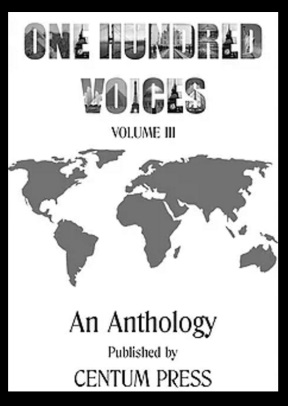
Centum Pressselected Precious Memories to join One Hundred Voices Volume III and is now available for pre-order in a limitededitionhardcover format.
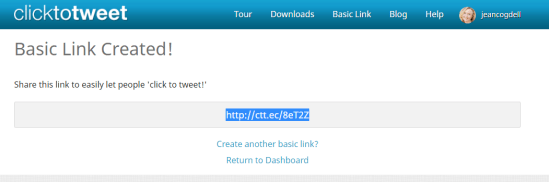
Only 500 hard copies will be printed in this limited edition, to order one click this link bit.ly/100VoicesV3.
But it gets better!
Enter this following code and receive a discount on your purchase! Discount code: 100V3-20
Wait, there’s more!
While this isn’t my first story to make the cut for publication, this is the first time I’ll share the publication stage with my sister. Wow! You heard right. One of my sisters, Sheila Good, is an amazing writer and her story Maggie’s New Beginningis also among the one hundred authors chosen by Centum Press for volume three.
Thanks for sharing in my excitement.
Where have you submitted recently?
Please share your successes; I’d love to celebrate with you too.








 Jean's Writing