Do you know how to spot Scam Websites?

Spooky time of year, Halloween.

So watch out for goblins. Don’t let them latch on to your computer.
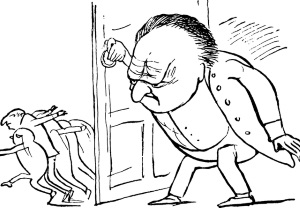
That’s right, Scammers want to trick you into opening the door. Don’t! Be careful and be aware. Keep those buggers out.
If you are unsure what to look for click and read this post by Daniel Nations.

How to Recognize Scam Websites Learn how to protect your identity anywhere online by Daniel Nations

Here is what I learned about how to avoid a Scammers trick. 

  1. Google is my friend…
    • Google an email link before clicking.
    • Google and research any link from Facebook, Twitter, Instagram or other social media.
  2. Even if the website seems legit…
    • check for spelling errors.
    • look for contact information
    • Find a privacy statement?
  3. As seen on…
    • Anyone can make this claim
  4. Trust…
    • Again, anyone can copy a seal of approval or trust security seal.
  5. Fake website address...
    • Is there a weird spelling in the address?
    • Lots of dashes and dots?
    • No dot-org or dot-com? Probably not legit.
  6. Http:// vs Https://…
    • One is secure and encrypted and one is not.
  7. Payment process…
    • No wire transfers is a no-brainer.
    • Refunds, Customer service? A must have.
  8. Where to double-check…

What do you think?

Did this arm you with a little more information?

Did you learn anything new? What?

Have you any tips for avoiding scammers?

Share in the comments. And let’s get only treats this Halloween.

Also, if you can please stop by my other locations and say “hey!” I’ll leave a light on. 

facebook jeans page   twitter-jeans page icon  pinterest-jeans page  stumble-upon-jeans page   amazon jeans page

 OR CLICK THE “WRITE ME” TAB AND SEND ME AN EMAIL.


Want to know which platform is best for you?

So you’re ready to create a blog.

Or maybe you’re considering a self-hosted website.

Stop and read the following articles below before you decide which way to go. This is one of the best explanations I’ve read in a long time about the differences between WordPress.com and WordPress.org.

After reading and listening to fellow bloggers, I decided to stick with WordPress.com.

My reasons:

  • Although not perfect, it’s a turnkey process.
  • I found a Theme I liked but can change with ease
  • My blog is updated and backed keeping my blog intact online (even though I may lose content I won’t lose the blog.)
  • I don’t want to pay a third-party to support the platform or the security.
  • I don’t have the time to dedicate to running a self-hosted site.

4 Reasons You Should Never Use WordPress.com (And 4 Reasons You Should) by Sanj Sahayam

WordPress.com vs WordPress.org – Which is Better? (Comparison Chart)   by by wpbeginner.com

Did the articles help you understand a little better how WordPress.com and WordPress.org work and how they are different?
Which do you use?
Have you considered a self-hosted site?
Share in the comments. I love hearing from you!

Also, if you can please stop by my other locations and say “hey!” I’ll leave a light on. 

facebook jeans page   twitter-jeans page icon  pinterest-jeans page  stumble-upon-jeans page   amazon jeans page

 OR CLICK THE “WRITE ME” TAB AND SEND ME AN EMAIL.

Do you make money with WordAds?

Are you making enough money to offset the slow down of your website? 

Time to do a risk/reward valuation. Or something like that. But you get what I mean.

This is what I had to ask myself. I began to feel as though the pop-up ads were as annoying as those bedeviled, in your face sign-up boxes. And if I didn’t like boxes popping in my face, I thought maybe my readers didn’t like commercials popping in theirs.

You may have noticed my blog looks a little less cluttered because…

I’ve disengaged WordAds on my website.

Now, that’s not to say you may NEVER see something for sale on my site, but I’m no longer using those flashing pop-up ads that I can’t control. If I use advertising I want to know ahead of time what I pitching.


My pages now load faster and smoother. I think so unless you guys tell me different. There also seems to be fewer glitches too.

Another change I made was to re-size the images on my pages. Large images slow down a website and no one wants to sit and wait as images slowly come into focus instead of reading your awesome wisdom and brilliant writing. So check those image sizes.

What do you think? Yes or No to Wordads?

Like the website without the Wordads?

Do you use WordAds on your site?

Ever thought about it?

Want to read more about WordAds? Here you go…

My Experience with WordAds  by J.D. MOYER

MY EXPERIENCE WITH WORDADS  By Moritz

WORDADS VS ADSENSE – HOW TO MAXIMISE REVENUE FROM YOUR BLOG?  by cafearjun

Tell me what you think in the comments.

I’d love it if you’d stop by my other locations and say “hey!” I’ll leave a light on. 

facebook jeans page   twitter-jeans page icon  pinterest-jeans page  stumble-upon-jeans page   amazon jeans page

 OR CLICK THE “WRITE ME” TAB AND SEND ME AN EMAIL.


How to make buying easy for your readers

All you need is a simple order and pay button.

click-ORDER 978044_1280


Click-pay


Do you have extra books left over from a book festival? Have some “how-to” worksheets, a writing workshop/seminar, or workbook? The ideas are endless.

The holidays will be here before we know it so put your thinking caps on. Is there something hidden on a long forgotten shelf or lurking in the shadows of your mind that would be perfect to sell on your website.

You can make a special button from a picture, book cover or use buttons like these. Feel free to right click and copy/save the red buttons above if you want.

You no longer have to be a self-hosted blogger to add this feature. Now WordPress dot com made one available for their bloggers.

Okay, okay, I can hear what some of Y’all thinking. Jean didn’t know about this? Well, as usual, I’m a little behind with some of my updates. But, better late than never. Am I right?

Now back to adding that purchase and pay button. As with all new things, there is a trick. You need to use the new Visual Editor, not the old one. Now I’ll admit, I prefer the old editor to write my blog posts. I find it easier to navigate and just plain like the look better. I love the SAVE AS DRAFT because it is large and easy to find. Using the new format, I’m always nervous if the draft is saved or not. Yes, I know there is a saved button. But, sigh, sometimes I have to move with the technology. And this is one of those times.

Here is the WordPress.com link that explains how to make and add a button to your website.

https://en.support.wordpress.com/simple-payments/

I can’t be the only friend you have who didn’t know about this feature. So be kind and share my post. You never know who might need it to sell their books or widgets.

Well, what do you think?

Is this something you can use?

Are you ready to open up shop?

Have something to sell? What?

Don’t forget, pass it on!

Leave me a comment and tell me what you think about this feature of WordPress.com.

Please stop by my other locations and say “hey!” I’ll leave a light on. 

Facebook           StumbleUpon              Twitter        Amazon.com

Or to connect with me, click the “write me” tab.