Why you need a unique Gravatar

Today’s letter in the A-Z Challenge   is G.

G= Gravatar

Gravatar stands for Globally Recognized Avatar.

An Avatar is a graphical representation of you or your business. It can be a picture or icon .


In the early years of my blog, I used a generated random icon as my Gravatar. Until, I realized it said nothing about me or my website. 

So I created a Gravatar using my photo. It’s about time to upgrade the pic, but hopefully, I will still look like me. I hate having my picture taken. Oh well, time marches on.

A Gravatar represents you, your writing and your blog. With the right Gravatar, you become recognizable at a glance.

I confess some of the weird, or spider looking Gravatar spooked me. It’s like connecting with a masked person. I don’t care for them.

Although usually associated with WordPress, the Gravatar are now widely used and accepted across many platforms. 

Seven things I’ve learned about the Gravatar

  1. Everyone needs one.
  2. A Gravatar is your calling card or business card. It introduces you to the world.
  3. Pick one that relates to your genre, website or you. If your blog is about dogs, a dog photo might work. Of course, some readers may think it’s about a blogging dog.
  4. It should be easily recognizable. Remember this is a tiny picture or icon, choose wisely.
  5. Make sure your Gravatar has active links. Where will a reader land if they click on your image?
  6. A Gravatar helps create your branding platform. 
  7. WordPress has built-in support for Gravatar that will automatically pulls in yours and attach to your comments.

Want to set up or change your Gravatar? Easy, just go to Gravatar.com and follow the steps.

Want to read more about creating your Gravatar? Read the links below.

Do you use a computer generated Gravatar? 

What about a custom Gravatar?

Does it reflect the message you wish others to hear?

Talk to me, the lights on and comments are now open.

You can find me on Twitter @jeancogdell, Facebook at jean.cogdelland Amazon.com, stop by and say hey! Please remember to click and share this post with your Twitter peeps and Facebook fans.


1 Key to Help People Find Your Blog
Create a Gravatar
How to Create a Gravatar
Generate your own, unique Gravatar
What is Gravatar and Why You Should Start Using it Right Away

Do you understand what Fair Play means?

F= Fair Play

The letter F for Fair Play is today’s A-Z Challenge .

Fair play means having a respect for the rules or equal treatment of all concerned.

From an early age, many of us had it drummed into our heads that we should treat others how we wished to be treated.

Playing fair is learning the rules and putting them into practice.

Yes, there are rules to blogging on your website.

This is what I’ve learned over the past year from an amazing Web of Writing Bloggers about Editors about playing fair.

  • Be courteous. If you stop by, say hi. Don’t just you walk by and peek in the windows. Step up, knock and say hello.
  • Respond to comments. It’s the same as receiving mail. Don’t leave it unanswered.
  • Abide by copyright laws. Not sure don’t copy. Err on the side of caution.
  • Don’t Spam. No one enjoys getting tons of emails that shout, “Buy, buy, buy.”
  • Don’t post rude comments. Remember, you can always find something nice to say. After all you’re a writer.
  • Delete rude comments that show up on your blog. It’s your blog, the content is at your discretion.
  • If you read it, share it. Even if the post wasn’t your cup of tea, other people may find it delightful.
  • Blog awards are lovely, but not all websites accept these awards. They are time-consuming. Check before you submit a writer for one of the many blog awards out there.
  • Don’t put your followers or readers on the spot. It’s okay to ask for volunteers, beta readers and reviews but ask in a broad request post.
  • Quote someone? Give them the credit and a link back.

Bottom line, remember your manners. 

Do you have any tips about good etiquette on blogging?
What do you think? Does the anonymity of the internet give us a license to be rude?

Talk to me, the lights on and comments are now open.

You can find me on Twitter @jeancogdell, Facebook at jean.cogdelland Amazon.com, stop by and say hey! Please remember to click and share this post with your Twitter peeps and Facebook fans.

Want to read more, check out the links below.

Confessions of a Blogger: The Etiquette Edition

Blogging etiquette roundup

Blogging rules and etiquette

The 5 Rules of Blog Etiquette 


Is it time to cleanup your writing style?

C = Cleanup

Southerners have a propensity for talk. Ask them how they’re doing and you’ll get a vivid description of their last gallbladder attack. They then segue into Aunt Martha’s bad hip because even God can’t keep that woman off of a ladder. Before you can say, “Okay.” You will know more than you ever wanted about this lovely person, their family, their dog and be invited to stay for dinner. When all along you were expecting a simple, “Fine, thank you.”

Yeah, I like to talk. This can show up in my writing and blog. Which brings me back to the letter C and the A-Z Challange and what I’ve learned over the past year from an amazing Web of Writing Bloggers.

“Cleanup this mess.”

bucket-24300_640

As a child, this was one of my mom’s constant phrases. You’d think I’d atomically apply the concept to everything in my life especially my writing.

But, I didn’t. Not until I began to listen and learn from a Web of amazing Writers. Did I mention I hate housework?

Here are the things you guys taught me about cleaning up my blog and my writing style.

  1. Use headings.
  2. Keep paragraphs and sentences short and concise.
  3. Use clean, crisp phrases. No extraneous adverbs or unnecessary descriptions. In other words, don’t waste the reader’s time.
  4. Avoid dark, bright or garish colors. It distracts from your message and exhausts the reader.
  5. Keep widgets, pictures to a minimum. Readers glance first read second.
  6. Optimize website and book for mobile devices. Funky text, or images that blur when converted to eBooks or mobile devices will have a negative impact.
  7. Remove unnecessary ads. If you use ads on your web, make sure they are related to your brand.
  8. Don’t clutter up your sidebar with award badges. These are cool and a fun way to connect with other writers but put them on a separate page.
  9. White space is your friend. Don’t crowd too much together on your website or in your book.
  10. Watch out for Dead Links, these are frustrating to your readers.
  11. Above the fold. When writing a story or post remember this newspaper term. If the first paragraph doesn’t grab, no one keeps reading.
  12. Produce a friendly, easy to use (or read), and professional product.
  13. Formating is important. Text should be formatted for easy scanning. This is true in eBooks as well as on blogs.

What do you think?

Could your website, eBook or story use a little sprucing up?

Talk to me, comments are now open.

You can find me on Twitter @jeancogdell, Facebook at jean.cogdell and Amazon.com, stop by and say hey! Please remember to click and share this post with your Twitter peeps and Facebook fans.

If you would like more tips on cleaning up chick out the links below.

Write Clearly and Concisely – IEEE Professional Communication Society

Writing Clear, Concise Sentences by Writer’s Handbook

Blog Design: Keep It Clutter-Free and User-Friendly by 

Spring clean your blog. By

11 Things to Remove from Your Website (Declutter Your Blog) By Gina Alyse


How to avoid the Vanishing Act and Dreaded 404 Error

I wish there was a fool-proof way!

But I doubt there is. Not totally. 

Here’s what happens.

A blogger gives a little bit of information. “Hey guys, look what I found. Go to this other website link and read all about it.”

But, what I didn’t understand was that weeks could pass before you read my blog and that “other website” might have moved or gone kaput. Which happens more and more as people tire of blogging or switch blogging platforms. 

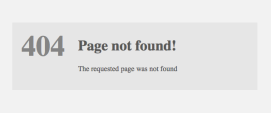
Depending on the server, you’ll get something like this but the message will be the same. Nobody is home. 

404 page

Readers got the Vanishing Act and Dreaded 404 Error which made me look bad.

Not wanting to bill myself as some writing guru I was doing this more and more on my blog. However, recently I found myself irritated with another website when every link gave me the 404 finger. I clicked away and unfollowed

Which got me to thinking. I know dangerous ground, me thinking. But, if I felt that way maybe my readers felt that way too. I don’t want unhappy readers.

Now don’t get me wrong!

I love linkbacks and reblogs! 

Linkbacks and reblogs are the strongest forms of flattery for a blogger.

There had to be a solution.

So what to do?

I’ve decided that I’ll do my best to…

  • Share here on my website what I learn.
  • Share why I think my readers might find it important too.
  • Share the source link at the end of the post. After all, I’m not an expert but I firmly believe credit should be given where credit is due. 
  • And last but not least I’m going to try to make my posts shorter. 🙂

Do broken links bother you?

Do they discourage you from visiting websites again?

Talk to me  and thanks for stopping by my blog.
You can find me on Twitter @jeancogdellhttps://twitter.com/jeancogdell, Facebook at jean.cogdell and Amazon.com, stop by and say hey! Please remember to click and share this post with your Twitter peeps and Facebook fans.